Symbols and markets
How to find and open any of the 2,300+ symbols, choose a broker's feed, read the symbol card and the market-closed note, and compare feeds.
A symbol is one market on the chart — gold, EUR/USD, the Nasdaq 100, Bitcoin — priced by one feed. This page shows you how to find a symbol, how to choose whose prices you watch, and how to read what the chart says about the market's hours.
What it is#
MillionChart lists more than 2,300 symbols on four feeds: three regulated brokers — FP Markets, Pepperstone and BlackBull Markets — and the Binance exchange for crypto pairs. A broker feed streams the broker's own bid and ask, the prices its clients trade at. Binance feeds are for charting: you can draw and set alerts on them, but the practice account trades broker feeds only.
One instrument can come from several brokers. Gold is XAUUSD on FP Markets, XAUUSD@PEP on Pepperstone and XAUUSD@BB on BlackBull: the part after @ names the feed. The search lists the instrument once, with its brokers as small marks on the row, so you pick the market first and the broker second. The symbol button prints the instrument's name; the status line prints the feed (Data · Pepperstone).
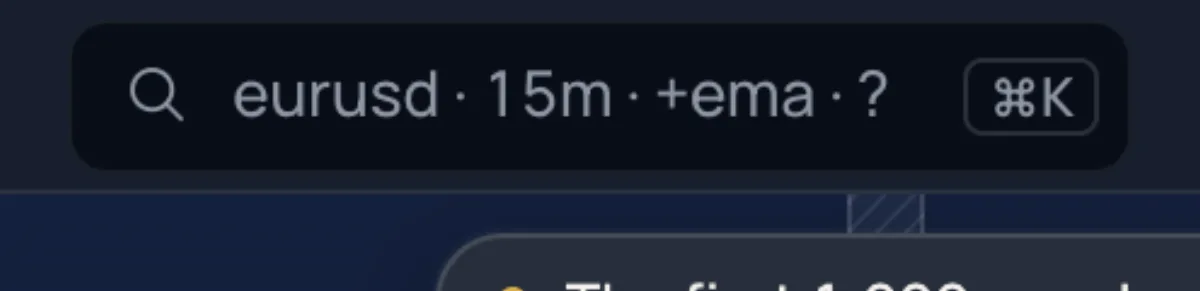
The search is part of the Lens, the chart's one search box for symbols, timeframes, indicators, tools and commands. Opened from the symbol button, or typed with @ first, it searches symbols only.
Where it is#
- The symbol button is the first control of the strip: the instrument's name, a dot for the market's state and a chevron. Click it and the Lens opens under it in symbols mode.
- / opens the symbol search from anywhere; Ctrl+K (⌘+K on a Mac) opens the Lens for everything. With Keys of other chart sites (More › Keyboard), / opens the Indicators list instead.
- Typing a letter while the pointer is on the chart opens the search with that letter typed (on the Pro screen, only a letter that is not a tool key).
- On a phone, tap the symbol pill in the strip; the search opens as a full-screen sheet.
How to use it#
- Click the symbol button, or press /.
- Type part of the code or the name:
gold,eurusd,nas,btc. Codes that start with your text come first, then codes that contain it, then names that hold every word. - Move with ↑ ↓ and press Enter, or click a row. The symbol opens on the broker you are already on when it streams it, otherwise on its first feed. To pick a broker, click one of the marks at the right of the row, or type the feed:
xau@fp,xau@pep. - Add a timeframe to change both at once:
eurusd 1h,gold d,xau@fp 15. - Esc clears the field; a second Esc closes the Lens.
The chips above the rows filter the list: All, ★ (favourites), one chip per category — FX, Metals, Indices, Crypto, Crypto spot, Energy, Futures, Perpetuals — and a Broker chip that folds out All brokers and each broker's logo. A search looks inside the chosen category; ← → change it while the field is empty, and an empty field shows your Recent symbols and Favourites. Star a symbol with the ★ at the end of its row.
A row prints the code, the feed's description, the live bid with a green dot while the market is open (refreshed every 5 seconds while the Lens is open) and the day's change, or closed · opens Mon 02:00 in your own time zone. A long category shows its first rows and +N more — keep typing.
The symbol card#
The ⓘ at the right of a row (or Ctrl+I on the highlighted row) opens the symbol's card in place of the list:
| On the card | What it tells you |
|---|---|
| Name, ★, category, decimals | The instrument, and how the feed prices it: 2 decimals · tick 0.01, or Whole prices. |
| Open · closes … / Closed · opens … | The market's state and its next change, in your own time. |
| Bid, Ask, Spread, Today | The live quote, the spread also in points, and the day's change. |
| Feeds · 3 brokers | Every broker that streams the instrument, with its logo and price, and Open beside each (or On the chart). |
| Alert at … | A price alert at the current price, in one click. |
| Open chart / Back to the chart | Opens the symbol, or returns when it is already on the chart. |
Esc or ‹ Results goes back to the list.
Markets and categories#
| Chip | What is in it | Examples |
|---|---|---|
| FX | Currency pairs from the three brokers | EURUSD, GBPUSD, USDJPY |
| Metals | Gold, silver, platinum; gold also as PAXG on Binance | XAUUSD, XAGUSD, XPTUSD |
| Indices | Stock-index CFDs | US30, NAS100, SPX500, GER40, UK100, JP225, HK50 |
| Crypto | Crypto CFDs at the brokers and the main Binance USDT pairs | BTCUSD, ETHUSD, BTCUSDT |
| Crypto spot | Every Binance spot pair, more than 1,300 | ETHBTC, SOLUSDC |
| Energy (full name: Commodities) | Oil and gas | XTIUSD, XBRUSD, NATGAS |
| Futures | The brokers' futures and forward CFDs, and Binance quarterly contracts | Gold Futures · GC · MGC, Brent Crude Oil Futures · BZ |
| Perpetuals | Binance perpetual contracts (.P after the pair) and the brokers' -PERP CFDs | BTCUSDT.P, NAS100-PERP |
A Binance spot pair that shares its name with a broker symbol carries .B (BTCUSD.B). A micro and a mini future trade at the same price, so one row carries both tickers.
The status line's Data · {broker} button opens About the data: the official data partners, and a reminder that prices stream from the broker you pick in the symbol search.

Market hours#
The dot in the symbol button follows the feed's session: green while the market is open; Closed outside the broker's hours; Spot on a weekend when a crypto CFD follows Binance spot until the broker reopens; Quiet when an open market has sent no price for 15 minutes.
When the market is closed, a note over the chart names the feed and the reopening time in your time zone: Market closed — XAUUSD@PEP reopens Mon, 01:00 GMT+4. A holiday note names the holiday. Crypto CFDs at a broker follow forex hours and close from Friday 21:00 to Sunday 21:00 UTC; the note says so, and reads Weekend · BTCUSD follows Binance spot until the broker reopens … while the weekend feed stands in. Close the note and it stays closed for that symbol.
Comparing feeds#
- The symbol card lists every feed of the instrument with its live price; switch with Open beside a feed.
- With the chart grid, type
brokers(orcompare) into the Lens: Compare brokers puts the symbol from each broker side by side. See Layouts and the chart grid. - Shift+Enter on a symbol row opens it beside the chart, or in the next chart of a grid.
Limits and plans#
Every symbol and every feed is free, for guests too; no plan unlocks a market. Favourites, recent symbols and the broker you chose are kept in this browser, not in your account. Binance pairs cannot be traded in the practice account. See Plans for what MillionChart Pro adds elsewhere.
Related#
- Timeframes
- Watchlist — [ and ] step through its symbols
- Alerts
- Paper trading
- Layouts and the chart grid
- The chart, part by part
- Keys — the search box and its commands