Paper trading
Practise on a $10,000 virtual account at the broker's real bid and ask: the Trade side list, the ticket, positions and orders on the chart, history, stats and the journal.
Paper trading is a practice account: $10,000 of virtual money, leverage 1:100, and fills at the broker's real bid and ask, so the spread costs what it would in a real account. It is for learning to place, manage and review trades without risking anything.
What it is#
A market order fills at once: a buy at the ask, a sell at the bid. A limit or stop order waits at the price you set. A stop loss and a take profit close the trade on their own when the price reaches them. Margin is the trade's value divided by the leverage; if your equity falls under half of the margin in use, the account is stopped out and the positions close.
Where it is#
- Click Trade in the side rail at the right, or choose Trade on the mode dial in the strip (Focus · Analyse · Trade). On the Pro screen G then T does the same.
- In Trade mode the strip shows two pills, Sell with the bid and Buy with the ask. A press fills the ticket; nothing is sent until you press SELL or BUY in it. On the Pro screen Shift+S and Shift+B do the same.
- Right-click the chart: its Trade section offers Buy limit, Sell limit, Buy stop and Sell stop at the price under the pointer, and Buy at market / Sell at market. They fill the ticket too.
- On a phone, tap Lists › Trade › Open Trade mode: the ticket docks above the action bar. Folded, it is one bar with the symbol, the open positions' P/L, and SELL / BUY at the live prices.
How to use it#
- Open the ticket. Its head shows SELL · bid, the spread and BUY · ask.
- Set Volume (lots). The ticket says what one lot is and the margin the trade needs.
- Choose the Type: Market, Limit or Stop. A limit or stop order also takes a Price.
- Fill Stop loss and Take profit if you want them now; with a stop set, the ticket shows the risk in dollars. You can also set both later on the chart.
- Press SELL or BUY. The ticket confirms "filled @ …" or "order placed @ …".
The account line shows Balance, Equity, Margin, Free (free margin) and Level (margin level).
On the chart#
A position is drawn as a row at its entry price: ⇅ (Reverse: close it and open the opposite side at the same size), TP, SL, the size, the live P/L and × (Close position). Press TP or SL and drag to set that level; a plain click does nothing, so a stray click never edits a trade. The level's row shows the reward or risk in dollars and the risk / reward; drag it to move the level, × removes it. A stop moved past the entry marks the position risk-free.
A pending order is drawn the same way: drag its label to move the price, × cancels it. A closed trade stays on the chart as a pale ghost with a label at its exit; its hide tag, or the eye beside it in History, hides it.
The tabs#
| Tab | What it shows |
|---|---|
| Positions | Open positions and Pending orders, for this symbol only or All symbols; × closes or cancels. A row of another symbol opens its chart. |
| History | Past positions since the last reset, filtered All / Wins / Losses. A row shows that trade on the chart; the eye hides or shows its ghost. |
| Stats | Balance, return and net P/L with an equity curve; trades, win rate, profit factor, expectancy, drawdown, streaks and more; a By symbol table; Refresh and Reset account. |
Reset account puts the balance back to $10,000 and closes any open position, after one confirmation. History and stats start again from the reset.
Settings / options#
Two switches live in the ticket and apply to this device only:
- One-tap trading, on the phone's ticket: SELL / BUY on the folded bar send a market order at once, at the ticket's volume and with no stop loss. The strip shows a red 1-TAP badge while it is on, and its pills send at once too.
- Instant right-click orders: tick "Don't ask again" under an order that came from the chart menu, and the menu's entries are placed without a second press.
Examples#
- Gold, 0.5 lot, a $6.20 move in your favour: gross +$310.00, the spread of 0.19 takes $9.50, no commission, so +$300.50 lands in equity. The spread is the one cost a paper account charges.
- You expect a pullback: right-click below the price, choose Buy limit, press BUY in the ticket, then drag the order's SL under the last swing low and its TP to the previous high. If the price falls to the order it fills, and the levels follow it into the position.
Market hours and replay#
- A symbol the broker does not quote (many Binance pairs) is chart-only; the ticket says so and offers tradable symbols instead.
- When a market is closed, the ticket says when it reopens. Forex, metal and index positions stay open over the weekend; a stop or target fills at the first price after the reopen.
- During bar replay live orders wait. Practise on the replay's own SELL / BUY under the chart, and come back to the live chart to trade the account.
The journal#
Every closed paper trade reaches your trading journal by itself. It opens as a big window over the chart, from the Journal list at the right of the chart or from the account menu › Trading journal; the same journal is a page at millionchart.com/journal (Open as a page in the window's head): an Overview, the Trade log, a Calendar, Reports, Playbooks, Tags, Notes and Accounts. You can review each trade and log broker trades by hand. See Your account.
Limits and plans#
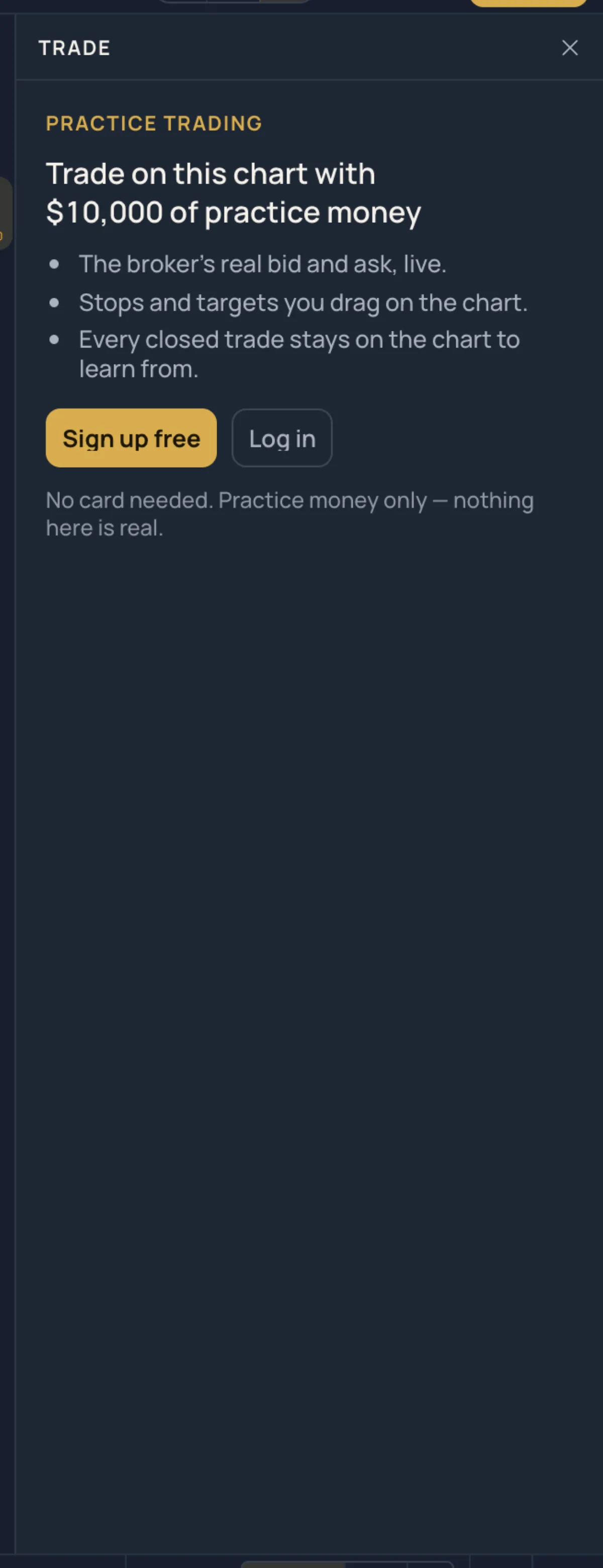
Paper trading is free with an account, on every plan; guests see a preview with Sign up and Log in. The ticket accepts from the symbol's minimum lot up to 100 lots per order. See Plans.
Related#
- Bar replay
- Trade and measure tools: Trade this setup on a Long / Short position fills the ticket
- Keyboard