MillionAlgo Smart Money
What the Smart Money structure lines (BOS, CHoCH, CHoCH+) mean, how they are found, its settings on MillionChart, and an example on gold.
Smart Money draws market structure for you: every break of a swing high or swing low becomes a labelled line on the candles, so you can see at a glance whether the market is making higher highs or has changed character. It comes with MillionChart Pro, a MillionAlgo indicator plan, the founders' year or the free Pro month; see Plans.
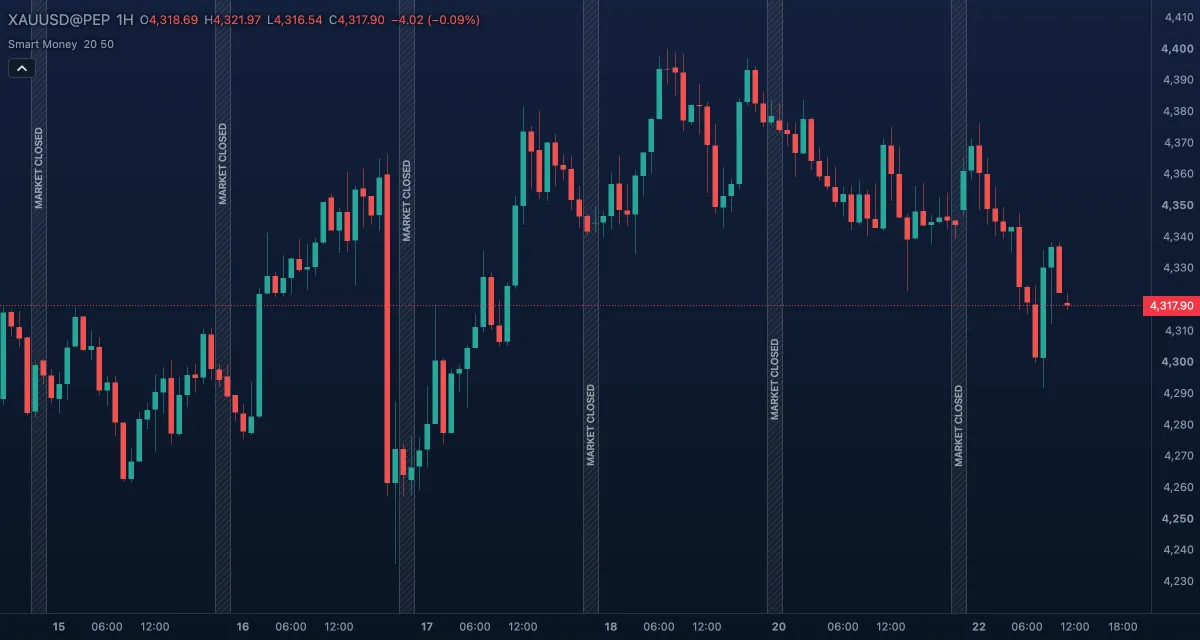
What it shows#
Each event is a horizontal line from the swing bar to the bar that broke it, at the broken price, with its name above the line for a bullish break and below it for a bearish one:
- BOS (break of structure) — a dashed line: the close broke a swing in the direction of the current structure trend (a higher high in an uptrend, a lower low in a downtrend). Green for bullish, red for bearish.
- CHoCH (change of character) — a solid line in a darker shade: the close broke a swing against the current trend, the first sign that the trend may be turning.
- CHoCH+ — a CHoCH where the swing before the break had already failed to make a new extreme (a higher low before a bullish break, a lower high before a bearish one): a stronger change of character.
- Two scales at once: internal structure (thin lines, labels with an i prefix such as iBOS) from small swings, and swing structure (thick lines, BOS, CHoCH) from large ones.
Smart Money does not draw order blocks, fair-value gaps or swing markers; the lines are its whole output. A break on the forming bar is drawn only once that bar has closed.
How it is calculated#
A swing high is a bar whose high is above the highs of a set number of bars on each side — Internal structure length bars for the internal scale, Swing structure length bars for the swing scale; a swing low is the mirror. Each confirmed swing becomes a level waiting to be broken. When a close crosses above the newest waiting swing high the study records a bullish event, names it BOS if the structure trend was already up and CHoCH (or CHoCH+) if it was down, and sets the trend to up; the bearish side mirrors this. The study reads the last 1,000 bars of the chart.
How traders use it#
- A run of BOS lines in one direction is a trend; trade with it and treat each new BOS as confirmation.
- A CHoCH is the first warning: many traders stop adding to the old direction and wait for a BOS in the new direction before switching.
- CHoCH+ carries more weight than CHoCH, because the market had already failed to extend before it broke.
- The internal scale turns first and often; the swing scale is slower and cleaner. A common rule: take entries from internal breaks only in the direction of the swing structure.
- The broken level often becomes support or resistance when price comes back to it: a bullish BOS line is a place to look for a long entry on the retest.
- Watch out for choppy markets, where internal CHoCH lines flip back and forth. Raise Internal structure length or hide the internal scale, and judge by the swing lines.
Settings#
| Setting | Default | What it changes |
|---|---|---|
| Internal structure length | 20 | Bars on each side a swing needs for the internal scale. Larger: fewer, bigger internal breaks. 2 to 500. |
| Swing structure length | 50 | Bars on each side a swing needs for the swing scale. 2 to 500. |
| Show internal structure / Show swing structure | on / on | Draws or hides each scale. |
| Colours | — | Bullish BOS, Bearish BOS, Bullish CHoCH and Bearish CHoCH; CHoCH+ uses the CHoCH colours. |
Example on gold#
For example, on the 1-hour chart gold has been falling for a week with bearish BOS lines at each new low, the last at $4,268. Price then bounces and a candle closes above the most recent swing high at $4,292: a solid green line labelled CHoCH appears from that swing to the break. The conservative reading is not to buy yet but to stop selling, and to wait for a higher low and a bullish BOS above the next swing high, near $4,310, before going long with a stop under the higher low. A close back under $4,268, with a bearish BOS, would say the downtrend has resumed.
Add it to your chart#
- Click Indicators in the top strip (on the Pro screen, press I), or click Signals and turn Smart Money on.
- Type
smartand click the indicator. - Click its chip in the legend to open the Inspector and change the settings; drag the chip to reorder; the dot hides it; × removes it.
Related#
- Pivot Highs and Lows — the same swing points with their prices, without the structure logic
- Zig Zag — the swings joined as legs
- VIP V6 — MillionAlgo's full setup engine, which has its own swing markers
- Alerts — an alert on a break of structure
- Adding and tuning indicators