Shapes
Rectangles, circles, ellipses, triangles, arrows, brush, highlighter and path: what each one marks, how to draw it and its settings.
Shapes mark zones and moments on the price: a supply or demand box, a ring around a double bottom, an arrow under the candle that mattered, a free stroke while you explain a chart. They live on the Shapes tile of the rail at the left: hover it and the list of all eleven opens (the tile itself draws the last shape you used; the small arrow in its corner opens the list too). On a phone tap Draw, then Shapes, and read "tap" wherever this page says "click". Hover a tool in the list and a small card plays the clicks that draw it. The star next to a tool puts it on the favourites bar over the chart (up to 10; the first five also get tiles of their own at the top of the rail). Any two-point shape can also be drawn with one press, drag and release. Selecting, moving, locking, hiding and undo work the same for every drawing: see Drawing on the chart.
Rectangle#
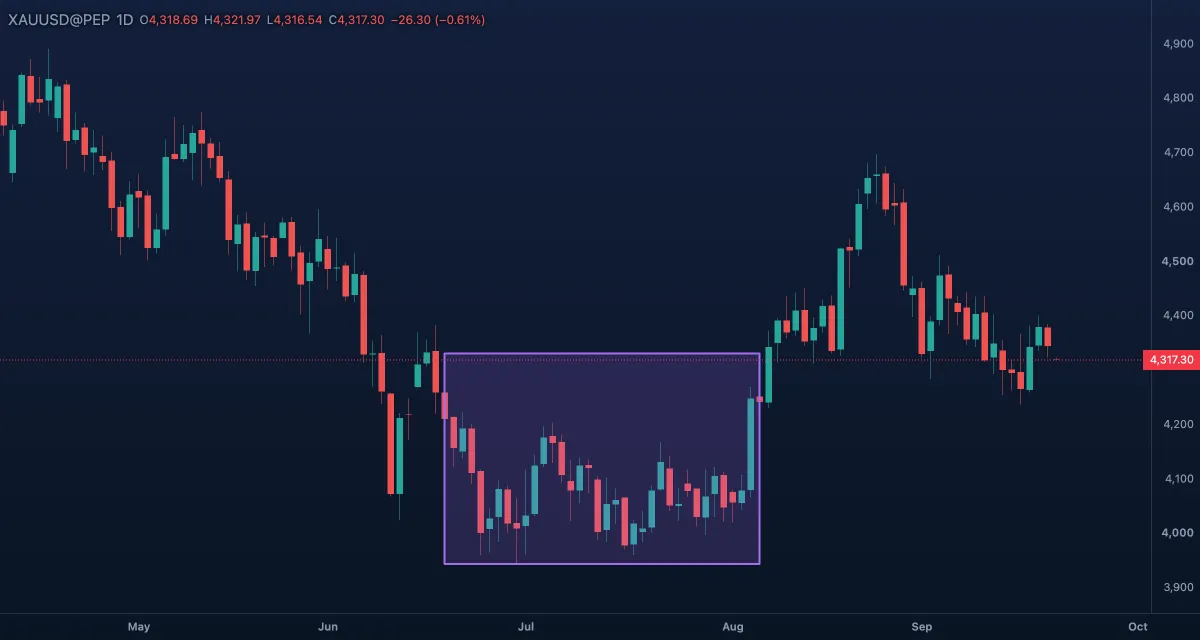
What it draws. A box between two corners with a see-through fill, a word centred in it, and an Extend right switch that runs the box to the right edge of the chart.
What it is for. Zones: a supply or demand area, the range of a consolidation, the body of a big candle the price may come back to. A box says "somewhere in here", which is more honest than one line when the level is really an area. A rectangle cannot ring an alert — use a horizontal line for that.
How to draw it. Click one corner, then the opposite one. Shift while placing or dragging a corner makes it a square; Esc cancels. A click inside the fill selects it; drag a corner or an edge to resize, the body to move it; a double-click opens the Inspector, the drawing's settings card. R arms it in the Pro screen.
Settings. Colour (violet), Width 2 and Line style for the outline; Fill on with a translucent Fill colour; Extend right off; Text, Text colour and Font size 13 for the word, typed in the Inspector's Text box.
Example. On daily gold, box the last few candles before a strong rally — the demand zone — and switch Extend right on. When the price returns to the box, you see whether buyers come back.
Circle#
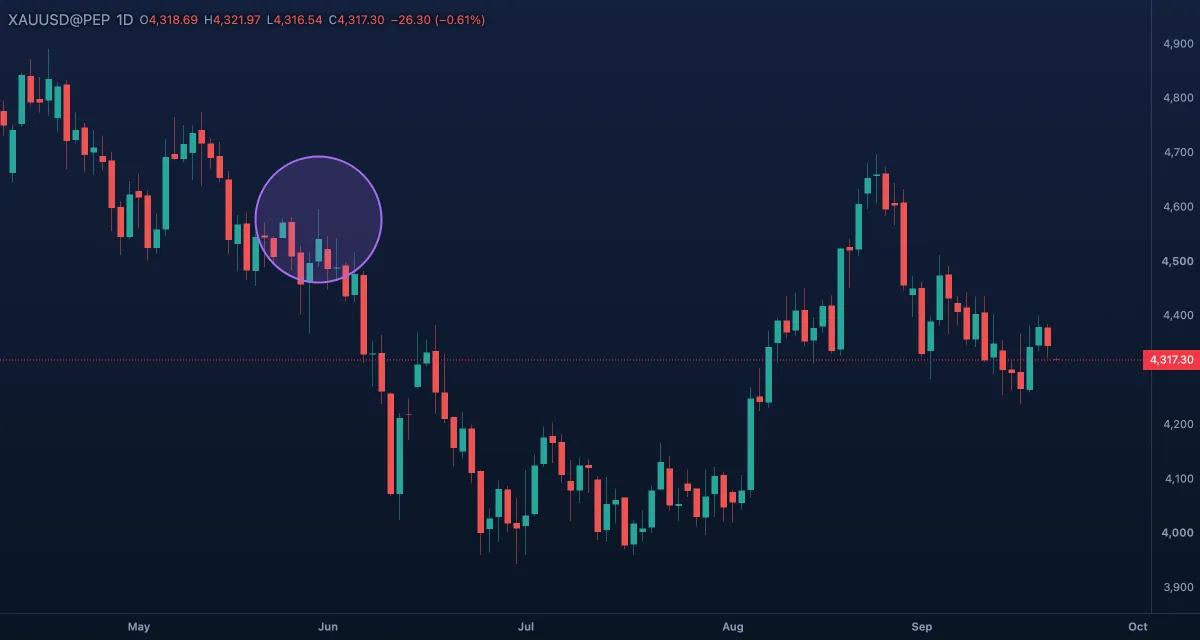
What it draws. A circle around a centre; the second click sets its edge. The radius is measured on the screen, so the circle stays round however far in or out you zoom — it does not stretch with the bars.
What it is for. Circling something you want to remember or show someone: a single candle, the wick that took the stops, the spot where two lines meet. It is a marker, not a measurement: because it keeps its screen size, it does not stand for a price range or a number of bars.
How to draw it. Click the centre, then a point on the edge. Esc cancels. Click the outline to select it (the fill does not catch clicks, so a big circle never blocks what is under it); drag the centre handle to move it, the edge handle to resize it; a double-click opens the Inspector. Shift has no effect on this tool.
Settings. Colour (violet), Width 2, Line style solid, Fill on with a translucent Fill colour.
Example. After marking a trend line on gold, circle the third touch — the one that confirmed the line — so the eye finds it first when you come back to the chart or share a snapshot.
Ellipse#
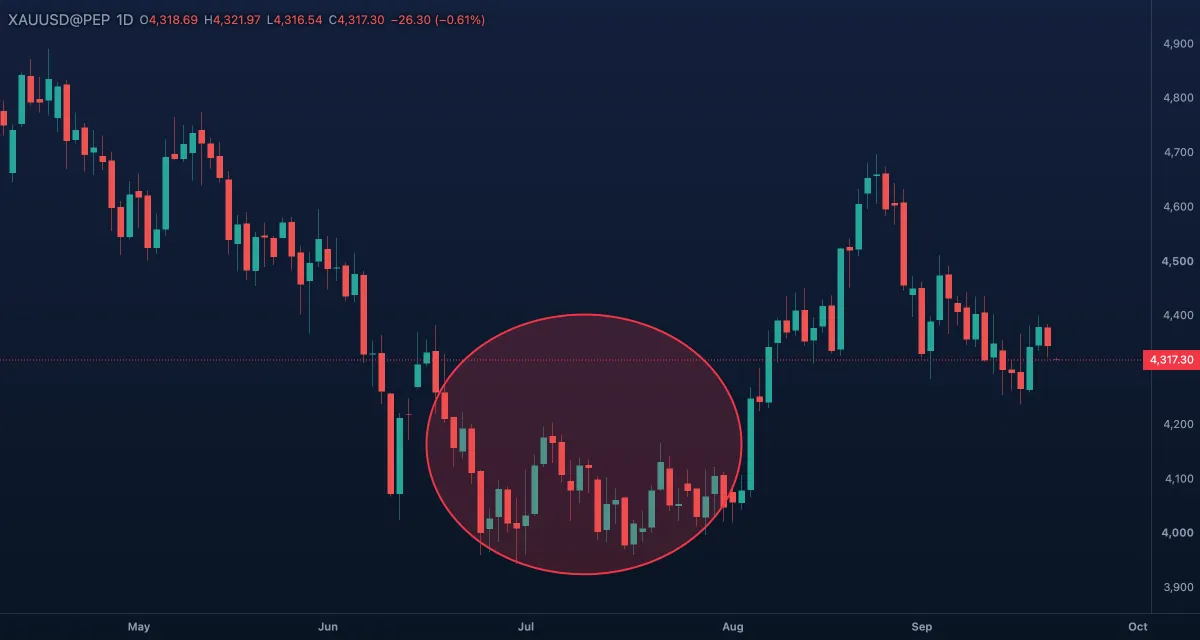
What it draws. An oval through three clicks: one end of its long axis, the other end, then how tall it is. The axis may slope and the ellipse turns with it, so it can hug a rising or falling group of candles. Red with a light red fill by default.
What it is for. Ringing a group of candles rather than one: a double bottom, a rounded top, a sideways cluster before a breakout. Tilt it along the swing so it covers the candles and not the empty space around them.
How to draw it. Click one end, the other end, then the height; while you place the second point the axis shows as a line. Hold Shift on an end to keep the axis on 45° steps around the other end. Esc cancels. Four handles: the two ends of the axis and the two ends of the height; dragging an end keeps the height. Click the outline to select; drag the body to move; a double-click opens the Inspector.
Settings. Colour (red), Width 2, Line style solid, Fill on with a translucent Fill colour.
Example. On daily gold, ring the two lows of a double bottom with one tilted ellipse, then draw a horizontal line across the high between them: the neckline whose break confirms the pattern.
Triangle#
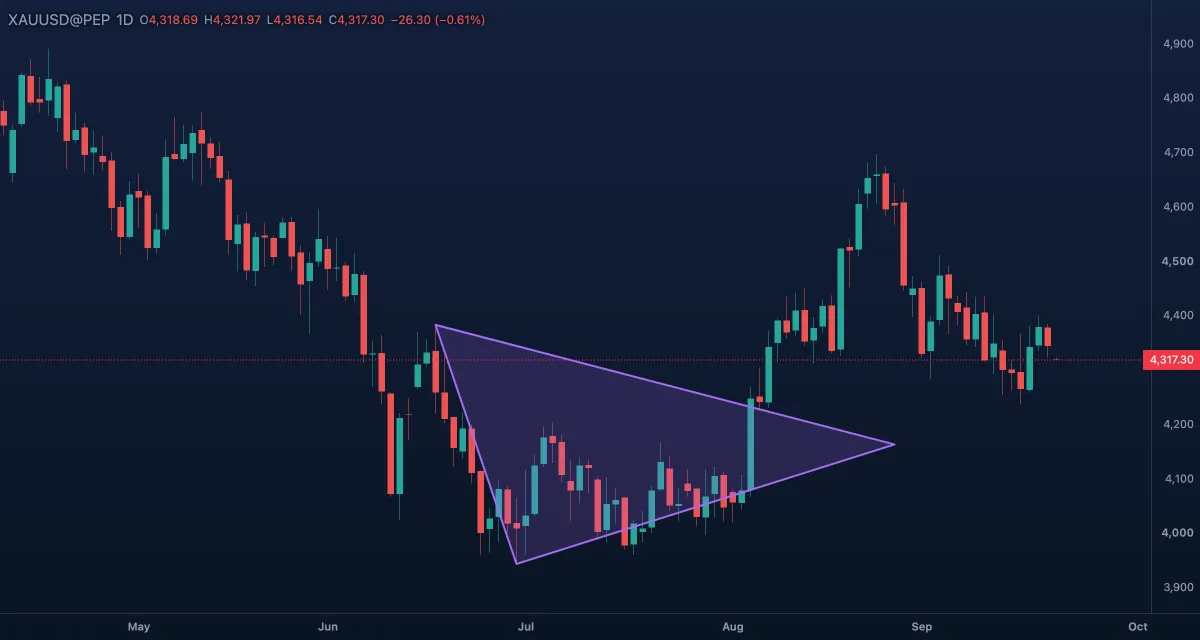
What it draws. A filled triangle through three corners. While you place the second corner it shows the first side as a line.
What it is for. Price squeezing into a narrower and narrower range: a symmetrical, ascending or descending triangle. The two sides you draw along the highs and lows show where the squeeze ends, and a close outside either side is the breakout many traders wait for. Draw it on the wicks or on the bodies, but do the same on both sides.
How to draw it. Click the three corners. Hold Shift to keep each side on 45° steps from the previous corner. Esc cancels. Click the outline to select (the fill does not catch clicks); drag a corner to reshape, the body to move; a double-click opens the Inspector.
Settings. Colour (violet), Width 2, Line style solid, Fill on with a translucent Fill colour.
Example. When gold makes lower highs and higher lows for a few weeks, put one corner where the move starts and the other two on the latest high and low. The sides run along the squeeze; a close outside either one is the break.
Arrow#
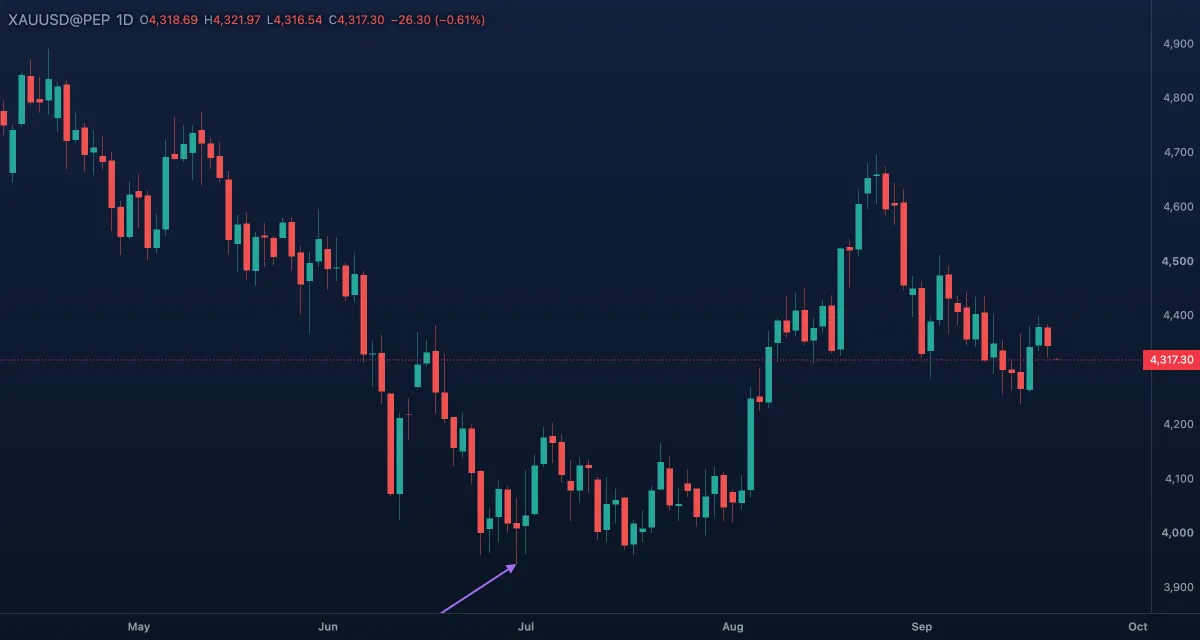
What it draws. A straight line with a filled head at the second point.
What it is for. Pointing at something: the candle that broke a level, the gap, the spot where you entered. On a snapshot or an idea it does the job of a finger on the screen. It is not a projection tool; for the route you expect the price to take, use the Path.
How to draw it. Click where the arrow starts, then what it points at. Hold Shift to keep it on 45° steps (horizontal, diagonal or vertical). Esc cancels. Drag either end to re-aim it, the body to move it; a double-click opens the Inspector.
Settings. Colour (violet), Width 2, Line style solid, dashed or dotted. The head is drawn in the same colour and grows with the width.
Example. Before you publish an idea on gold, draw one arrow from empty space to the candle that closed above the range, and write the reason next to it with the Text tool.
Arrow marker#
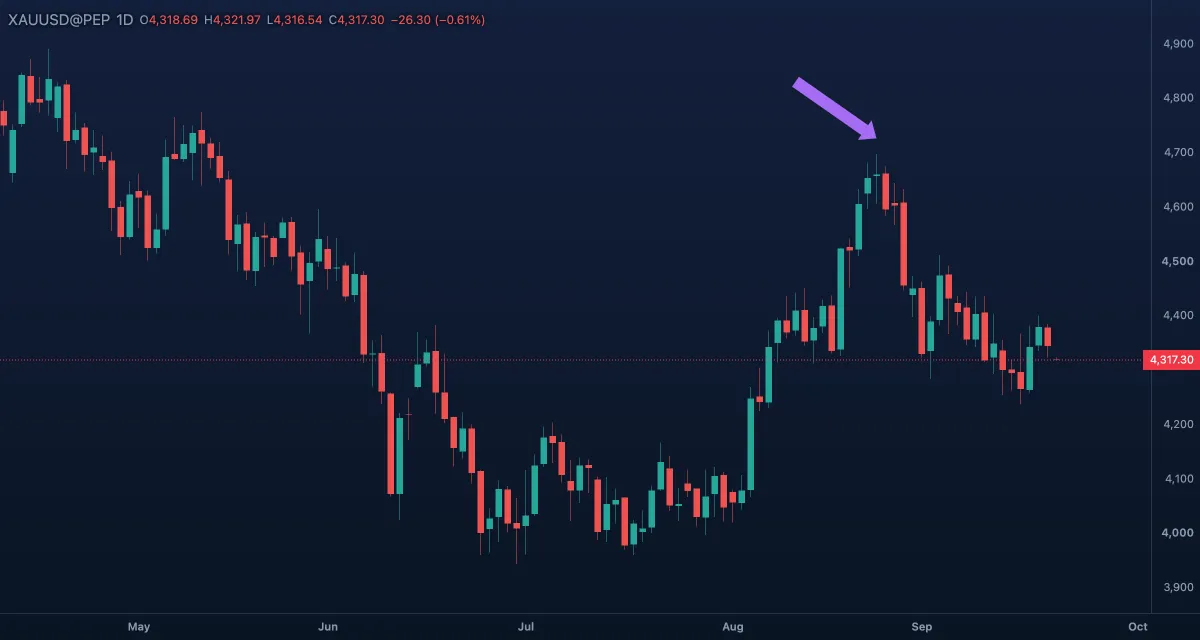
What it draws. A thick, filled arrow from a tail to a tip, with room for a word on its shaft. The word sits in the middle on a pill of the arrow's colour, so it stays readable even on a steep arrow. It keeps to one line: line breaks are turned into spaces.
What it is for. A loud pointer: "Entry", "Stop run", "Breakout". Where the thin Arrow is for a quiet hint, this one is for the one thing you want a reader to see first.
How to draw it. Click the tail, then the tip. Hold Shift for 45° steps. Esc cancels. Drag either end to re-aim it, the body to move it; a double-click opens the Inspector. Type the word in the Inspector's Text box.
Settings. Colour (violet) for the whole arrow; Text, Text colour (white) and Font size 13 for the word. There is no width or line style: the shaft is about as thick as the word's line, and thinner when there is no word.
Example. On gold, drag an arrow marker from the bottom of a pullback up to the next high and name it "Wave 3" — the picture explains itself in a Telegram message.
Arrow up#
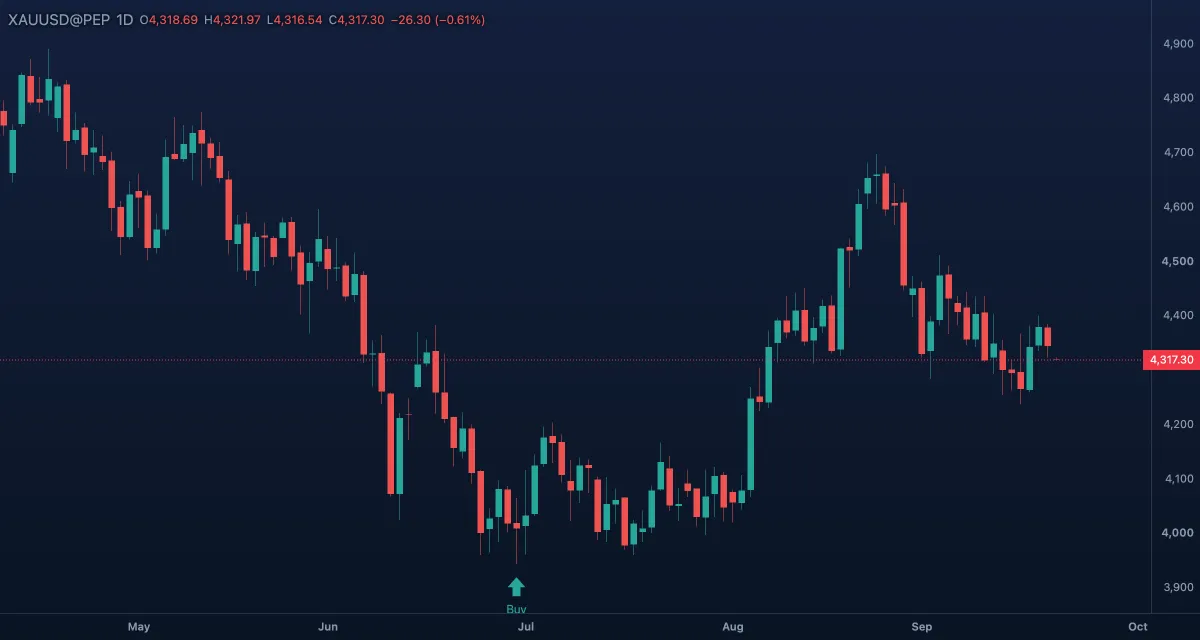
What it draws. A small filled arrow pointing up, hanging just under the point you click, with an optional word beneath its tail. Teal by default.
What it is for. Marking a buy, a bullish candle or the bar a signal fired on. It is the mark traders use when they review a chart: one arrow under every entry they would have taken.
How to draw it. Click under a candle: one click, no second point. Esc puts the tool down. Drag the handle to move it; a double-click opens the Inspector. A word typed in the Inspector's Text box appears under the arrow.
Settings. Colour (teal), Text, Text colour (teal) and Font size 12. The arrow itself has one size.
Example. Go through a week of gold in bar replay and put an arrow up under each bar where your rules say "buy". The row of arrows is your trade log for the next morning's review.
Arrow down#
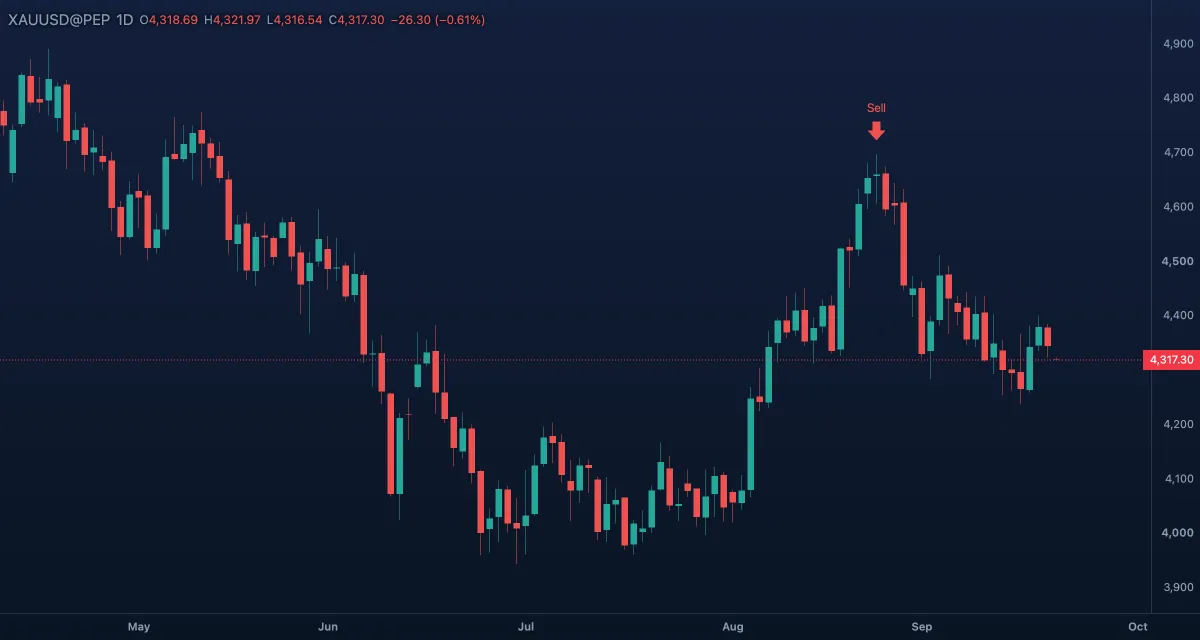
What it draws. The same small arrow pointing down, sitting just over the point you click, with an optional word above its tail. Red by default.
What it is for. Marking a sell, a bearish candle, or the bar where a short setup appeared. Paired with the arrow up, it turns a chart into a record of every decision.
How to draw it. Click over a candle. With the magnet on Strong, the click lands on the candle's high, so every arrow sits at the same distance over its candle. Drag the handle to move it; a double-click opens the Inspector; the word goes in the Text box.
Settings. Colour (red), Text, Text colour (red) and Font size 12.
Example. Mark the candle where gold rejected a resistance zone with an arrow down and the word "wick" — a reminder that the rejection, not the close, was the signal.
Brush#
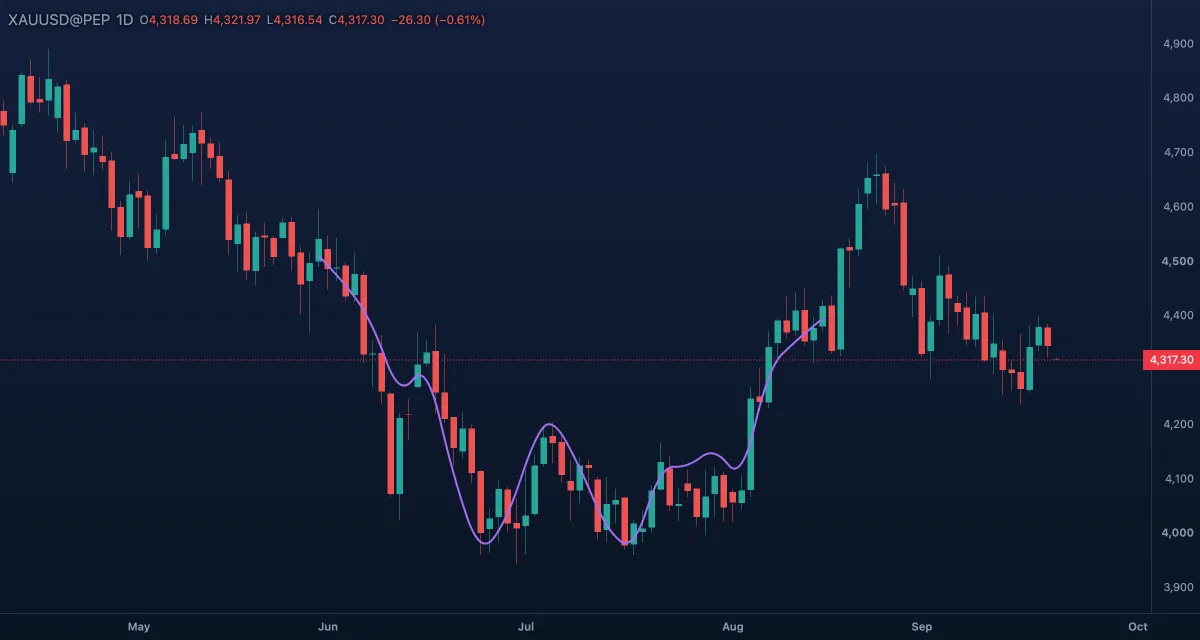
What it draws. A free stroke that follows the pointer while the button is down, drawn as one smooth line with round ends. A tap leaves a dot.
What it is for. Explaining rather than measuring: circling a few candles by hand, sketching a wave count while you talk, scribbling over a chart you will screenshot. It is the tool for a quick thought, not for a level you will trade from.
How to draw it. Press and drag to paint, let go to finish. Each stroke is one drawing. Esc cancels. Click the stroke to select it; its two handles, at the start and the end, both move the whole stroke — a stroke cannot be reshaped point by point. A double-click opens the Inspector. In the Pro screen B arms it. Switch Keep drawing on (the pin beside the armed tile; K in Pro) to paint stroke after stroke without picking the tool again.
Settings. Colour (violet) and Width 2, from 1 to 20. No line style, no fill.
Example. With Keep drawing on, go through a month of gold candles marking the swings by hand; when you are done, pick the cursor and the strokes stay.
Highlighter#
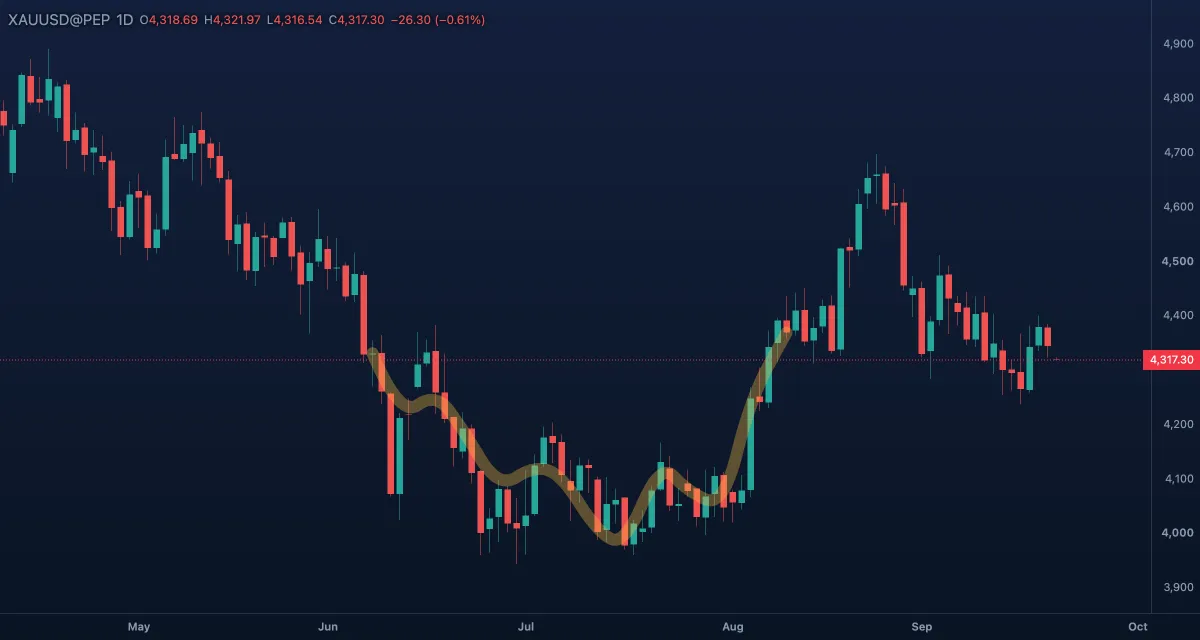
What it draws. A wide, see-through stroke — like a marker pen — through which the candles stay visible.
What it is for. Shading a stretch of chart without hiding it: the candles that made a pattern, the days you are reviewing, a sloped band you cannot box with a rectangle. Because it is translucent, two strokes that overlap show darker, which is a quick way to mark "important twice".
How to draw it. Press and drag over what you want to mark, let go to finish. Esc cancels. Like the brush, its handles at the start and the end move the whole stroke; a double-click opens the Inspector.
Settings. Colour (amber at 35 % opacity by default — keep some see-through, or it becomes a brush) and Width 12, from 1 to 40.
Example. On daily gold, run the highlighter over the five candles of the week you are studying. The band stays when you zoom out, and you see at a glance whether that week was the one that moved.
Path#
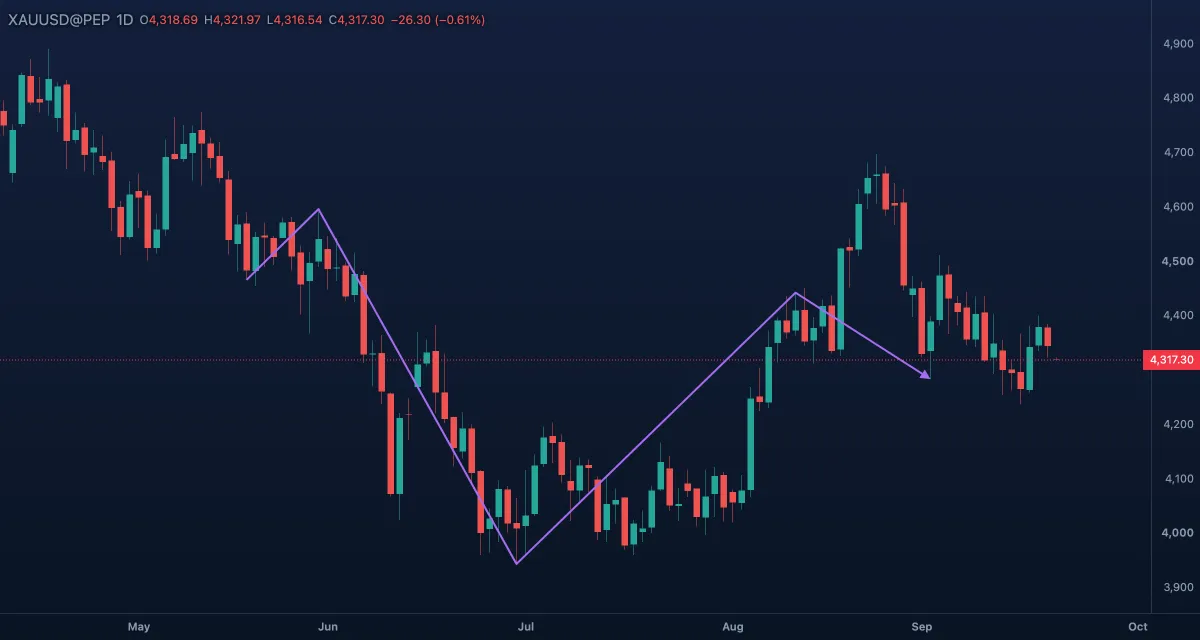
What it draws. A line through as many points as you click, with an arrow head at the end. Each click adds a corner; a double-click or Enter finishes it.
What it is for. Planning: the route you expect the price to take — down to the zone, bounce, through the high. Drawing the plan before the move makes it checkable afterwards. It also works as a hand-drawn zigzag over the swings of a trend.
How to draw it. Click point after point, then double-click to finish (or press Enter). Hold Shift to keep each leg on 45° steps from the previous point. Esc cancels the path being drawn. Every corner is a handle: drag one to move it, the body to move all; a double-click on a finished path opens the Inspector.
Settings. Colour (violet), Width 2, Line style solid, dashed or dotted, and Arrow at the end on. The head follows the last leg and grows with the width.
Example. Gold sits under a resistance zone. Draw a path: down to the demand box, up through the zone, on to the previous high. Make it dashed, so it reads as a forecast and not as something that happened.