Welcome to MillionChart
What MillionChart is, what you can do with and without an account, and the five-minute path from the first visit to your first saved chart.
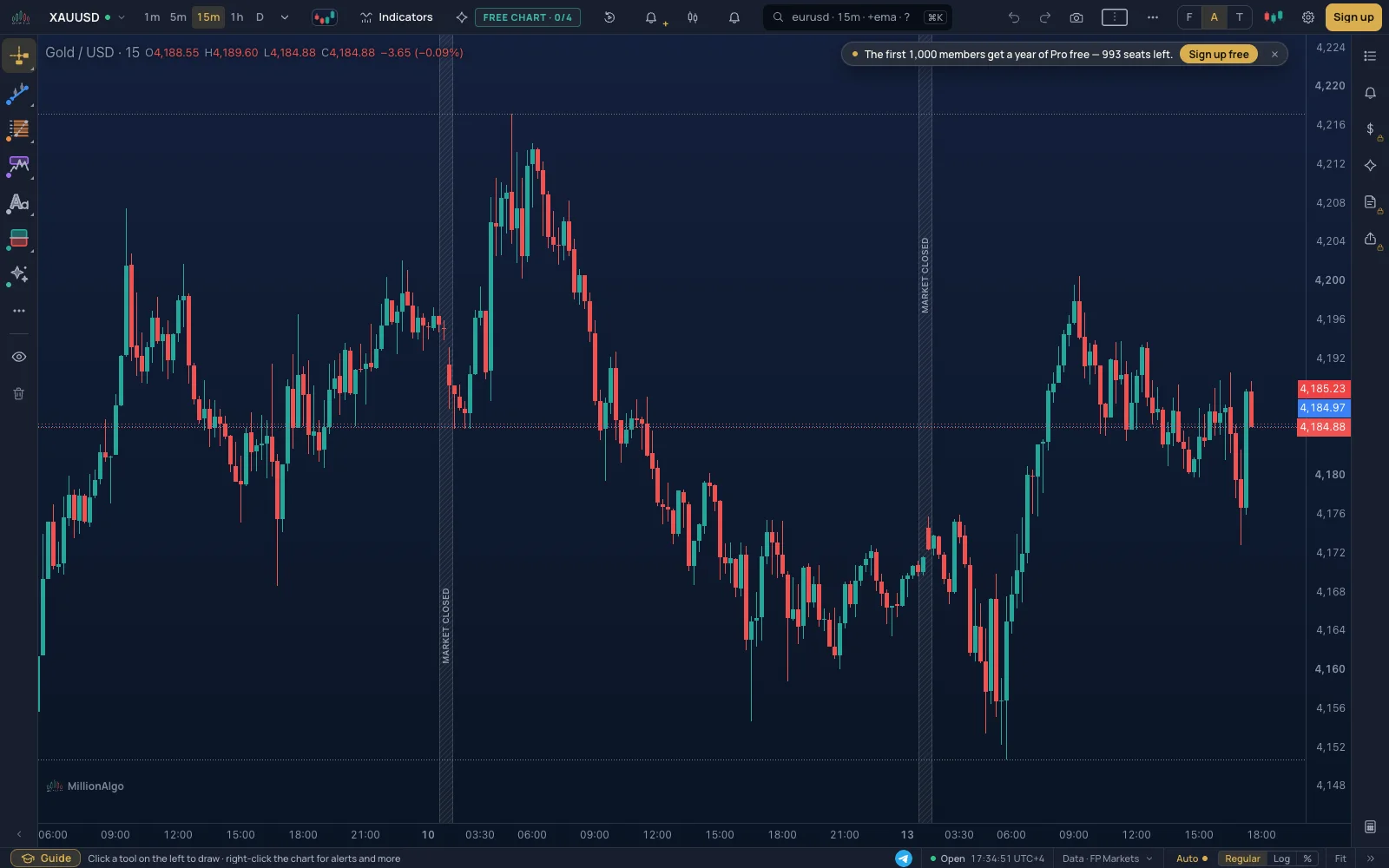
MillionChart is a live chart for gold, currency pairs, indices, metals, energy, futures and crypto, at the real bid and ask of regulated brokers. Around the chart there is everything a trader uses every day: 21 chart types, more than a hundred indicators, drawing tools that tell you how to use them, bar replay, alerts that reach your phone, a practice account and a chart grid of up to 24 charts. It runs in the browser, on a computer or a phone, in 21 languages.
What you can do without an account#
Open the chart and you already have the live prices, every chart type, the indicators, the drawing tools, replay and the chart search. Nothing is saved between visits, alerts cannot reach you, and the practice account is locked. A free account adds the rest.
What a free account adds#
- Layouts: your drawings, indicators, chart type and timeframe are saved and come back on every device.
- Alerts on prices, lines and indicators, delivered to Telegram, your phone and your e-mail.
- Paper trading: a practice account with $10,000 of virtual money at the broker's real bid and ask, and a journal of every trade.
- A watchlist, ideas you can publish and a chart grid of several charts.
- A free month of MillionChart Pro, started whenever you want it, and the MillionAlgo studies while it runs.
Signing up takes ten seconds with Google, or a minute with an e-mail address: see Signing up and in. What the plans add on top is on Plans.
The five-minute path#
- Open the chart and take the tour: one slide for each part of the screen, with the part open, saying what it does; Explain more on a slide walks its details. It opens by itself on your first visit (about three minutes). Later, start it again with the guide icon at the bottom of the chart, under More › Tour of the chart, or here.
- Sign up, so that what you do next is kept.
- Follow Your first chart in five minutes: a symbol, a timeframe, a chart type, one indicator, one line, one alert, and a saved layout.
- Try bar replay on a famous day, and a paper trade inside it.
- When you want to know a part in depth, open its page in The chart, part by part.
Where things are on the screen#
| Part | Where | What it holds |
|---|---|---|
| The strip | Top | Symbol, timeframes, chart type, indicators, the MillionAlgo studies, replay, alerts, search; then snapshot, the chart grid, More, layouts, the mode, look, settings and your account |
| The rail | Left | The drawing tools, in groups |
| The stage | Middle | The chart: candles, the legend at the top left, the price scale at the right, the time scale at the bottom |
| The side lists | Right | Watchlist, your alerts, the practice trading panel |
| The status line | Bottom | Hints, the time zone and session, the data source, the scale, Fit and the latest bar |
Each part has its own page: start at The chart, part by part.
Two screens: Guided and Pro#
The chart has two densities. Guided is the default: larger controls, a hint when you arm a tool, and a question before anything is deleted. Pro is tighter, every tool has a one-letter key, and deletes happen at once with Undo. Switch under More › Screen. Nothing moves between the two; only sizes, hints and keys change. Details on Keys.
Getting help#
- This wiki, with the search box (/) at the top of the page.
- The support page: the help centre and a ticket to a person.
- The tour on the chart, any time: More › Tour of the chart.