Aroon Oscillator
What the Aroon Oscillator measures, how to read zero and the ±50 levels, its settings on MillionChart and a worked example on gold.
The Aroon Oscillator is Aroon Up minus Aroon Down: one line from −100 to +100 that says which is fresher, the last high or the last low, and by how much. Above zero the most recent extreme is a high; below zero it is a low. It is Tushar Chande's companion to Aroon (1995), for readers who want the two lines folded into one.
What it shows#
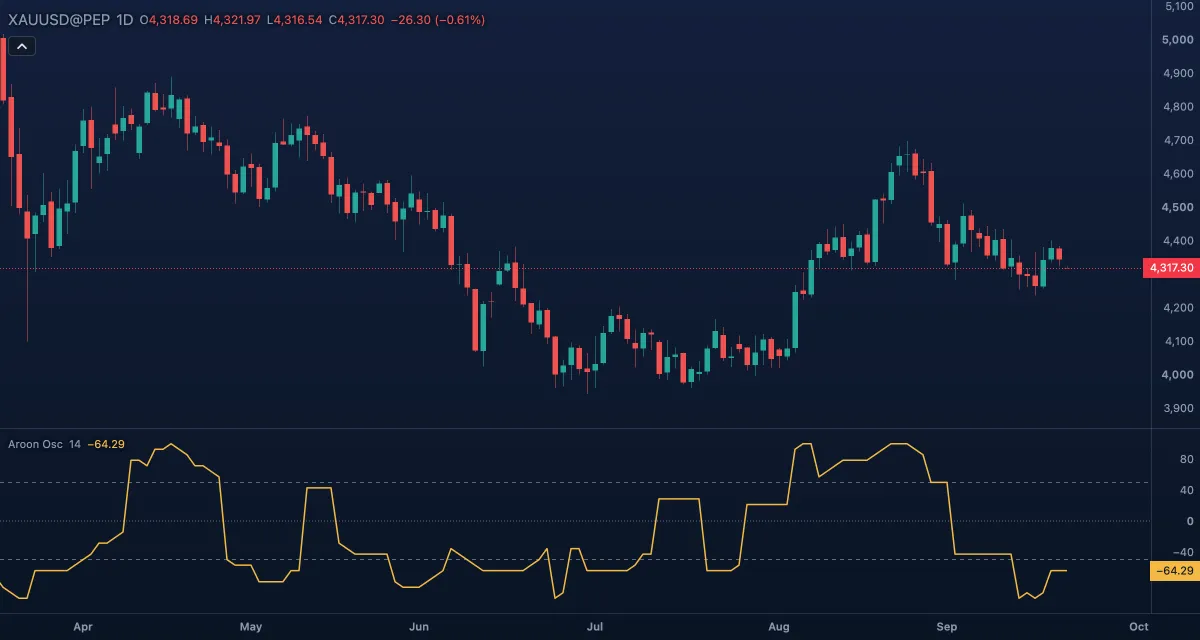
- Aroon Oscillator — one line in its own pane, −100 to +100. +100 means the current bar is the window's highest high and the lowest low is a full window old; −100 is the opposite.
- Zero — the dotted centre line. The oscillator crosses it when the more recent extreme changes from a low to a high, or back.
- Upper (+50) and Lower (−50) — dashed levels: beyond them the trend is clear in that direction.
How it is calculated#
With the window the current bar and the Length bars before it: Aroon Up = 100 × (Length − bars since the highest high) / Length, Aroon Down the same for the lowest low, and the oscillator = Aroon Up − Aroon Down. It uses the high and the low; the source cannot be changed. A tie between two bars goes to the newer one.
How traders use it#
- Direction: above zero, the market has made a high more recently than a low; below zero, the reverse. Many traders only trade long above zero and short below it.
- Strength: above +50 (or below −50) the newer extreme is much fresher than the older one; the trend is established, not just starting.
- Turns: a cross of zero is the earliest sign; a cross of ±50 is the confirmation. Trading the zero cross alone whipsaws in ranges.
- Exhaustion: a reading that has sat near +100 and starts stepping down while price still holds says the highs are getting older.
- Watch out: like Aroon, it measures the timing of the extremes, not the distance travelled, and it moves in steps of 100 / Length. Pair it with price structure or a strength measure such as ADX.
Settings#
| Setting | Default | What it changes |
|---|---|---|
| Length | 14 | The window (1 to 5,000). Longer is slower and holds its readings longer. |
| Colours and style | — | The Oscillator, Upper level, Zero line and Lower level colours. |
Example on gold#
After a two-week pullback from $4,300 to $4,220, gold turns up and the daily Aroon Oscillator (14) crosses from −60 to above zero, then through +50 a few days later as price breaks the pullback high. For example, a trader waits for the +50 cross before buying, because the zero cross happened while price was still inside the pullback range.
What would invalidate it: the oscillator falling back through zero within a few bars, which means price just set a new low for the window; the turn was a bounce, not a new leg up.
Add it to your chart#
- Click Indicators in the top strip (on the Pro screen, I does the same).
- Type
aroon oscand click the indicator. - Click its chip in the legend to open the Inspector and change the settings; drag the chip to reorder; the dot hides it; × removes it.
Related#
- Aroon — the two lines this oscillator is built from
- Average Directional Index — trend strength to confirm a cross of ±50
- Chande Momentum Oscillator — Chande's momentum oscillator, also from −100 to +100
- Alerts — an alert when the value crosses zero or ±50
- Adding and tuning indicators